5 Best Ways to Deliver Real Estate Photos to Clients


Once the photos are edited, they still need to get to the client.
For many real estate photographers, that means uploading photos to Google Drive or Dropbox and sending a link. Others use photo delivery platforms like Pixieset or Show & Tour. For a small job, they might just attach the files to an email.
All of these options work.
The challenge comes as the business grows. More shoots mean more files to manage, galleries to create, links to send, and more time spent downloading edited photos from one platform just to upload them somewhere else.
That is where the delivery method starts to matter.
Some options are simple and affordable. Some give clients a better way to view and download their photos. Others are built specifically for photographers or real estate media businesses.
This guide compares five common ways real estate photographers deliver photos to clients, what each option offers, and when it makes sense to use them.
Key takeaways
- Real estate photographers commonly deliver photos through Google Drive or Dropbox, email attachments, client gallery platforms such as Pixieset, real estate delivery platforms such as Show & Tour, or Tonomo's Direct Upload.
- Google Drive, Dropbox, and email work for small jobs, but they do not create a branded gallery and become harder to manage as project volume grows.
- Pixieset and Show & Tour give clients a more polished delivery experience, but edited photos may still need to be downloaded and uploaded again if editing happens on another platform.
- Tonomo's Direct Upload removes the extra download and upload between editing and delivery, which matters most for businesses handling a high volume of properties.
1. Google Drive or Dropbox
Google Drive and Dropbox are probably the simplest options.
The process is straightforward: Create a folder → Upload the photos → Send the link.
For photographers who are starting out or only handling a small number of projects, there may not be much wrong with this approach. Clients already know how these tools work, and there is no new platform to learn.
Pros
- Simple to set up. Create a folder, upload the files, and send the link.
- Low cost. Both platforms have free plans and relatively inexpensive storage options.
- Familiar to clients. Most clients already know how to open a Google Drive or Dropbox link.
- Easy to manage for small jobs. When there are only a few projects, a folder structure can be enough.
Cons
- It does not really feel like a photo gallery. The client is looking at a folder in Google Drive or Dropbox, not a gallery built around the photographer's brand.
- Payments happen somewhere else. These tools are designed for file storage and sharing, not for collecting payments from photography clients.
- The workflow gets harder to manage as volume grows. More clients and more projects mean more folders, links, uploads, and files to keep track of.
There is nothing wrong with using Drive or Dropbox. They solve the basic problem: getting files from one person to another. For a growing real estate media business, the repeated file handling starts to become the bigger issue.
2. Tonomo's Direct Upload: Dedicated Real Estate Media Delivery
Some editing and photography platforms now let photographers send edited photos directly into a client gallery.
The idea is pretty simple.
Without Direct Upload, a typical process looks like:
Edit → Download → Upload again → Create gallery → Send
The photographer is moving the same finished files twice. Direct Upload removes that extra file transfer.
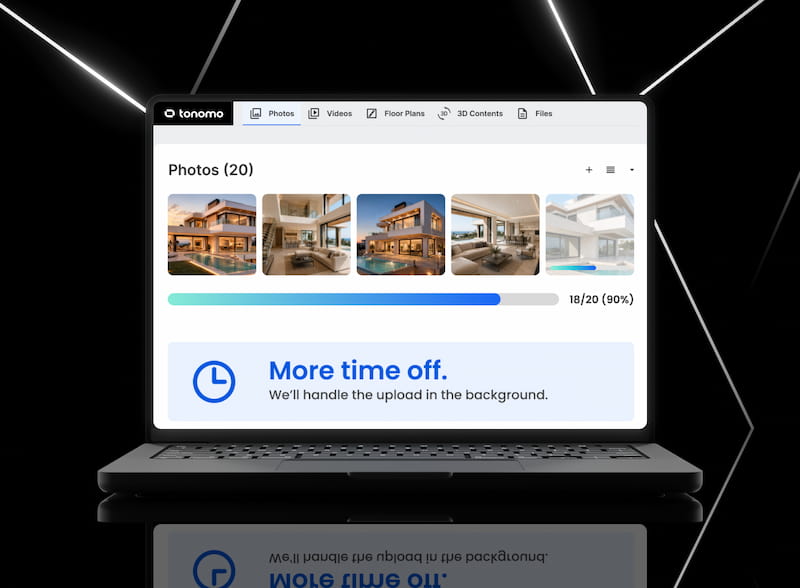
With Tonomo's Direct Upload, edited photos can be uploaded into the client delivery workflow instead of being downloaded and uploaded again.
The process becomes:
Edit → Direct Upload → Client gallery → Send
It also means the photographer does not have to keep moving the same files between different tools just to get them in front of the client.
Pros
- Less file handling. With Tonomo's Direct Upload, there is no need to download the finished photos and upload them again.
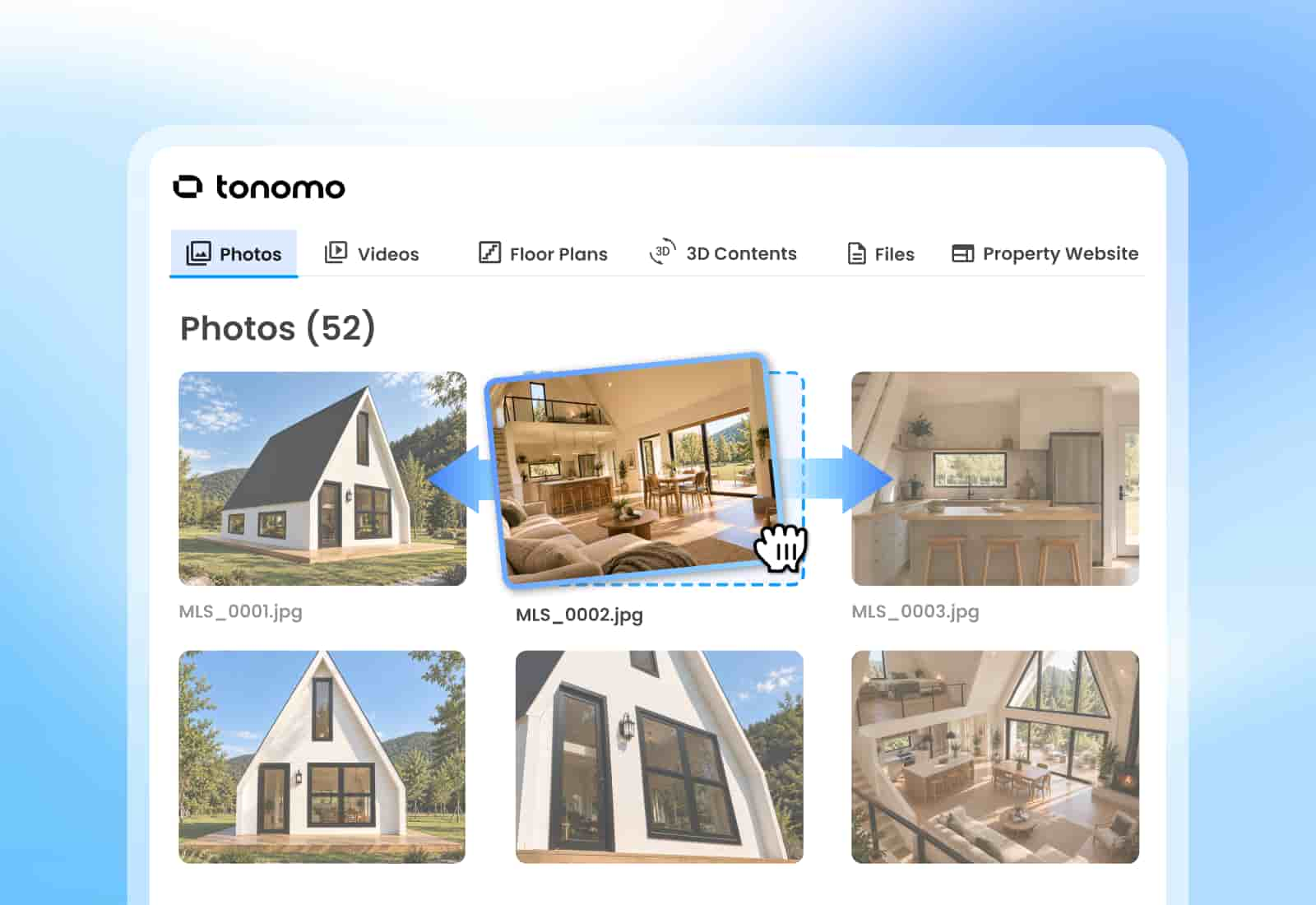
- Fewer repetitive steps. The gallery can be created as part of the same workflow.
- Faster delivery. Once photos are uploaded to Tonomo, simply enable delivery to generate a client-facing link for review and download.
- Downloads can be locked until payment. Tonomo lets clients view the delivery first, and downloads unlock once the invoice is paid.
- A more professional client experience. Clients receive an organized gallery instead of a folder full of files.
Cons
- It depends on the platform. Direct Upload is only useful if the editing or photography platform supports it.
- There can be a learning curve. Teams may need some time to adjust if they are used to a different delivery process.
- It is not necessary for every photographer. For a handful of jobs each month, downloading and uploading again may not be enough of a problem to justify changing the workflow.
The important part is not that Tonomo's Direct Upload is a completely different way of delivering photos.
The main benefit is to remove one of the unnecessary steps between editing and delivery.
For businesses handling a larger number of properties, that difference can add up.
How Direct Upload works in Tonomo →
3. Pixieset: Professional Photo Galleries
A dedicated client gallery is a step up from sending a folder of files.
Pixieset is one example. It is built around client galleries, so the photographer can upload a set of images and give the client a place to view and download them.
This makes more sense when presentation matters.
Pros
- Designed specifically for photo delivery
- Clean, professional-looking client galleries
- Good branding options
- Viewing and downloading in one place
- Better for large photo deliveries than sending files by email
Cons
- Originally built more for portrait photographers, not real estate
- Photos still need to be uploaded into the gallery
- Editing and delivery can remain two separate workflows
- Adds another tool to manage
- Features and pricing depend on the plan
For photographers who want something more polished than a Dropbox folder, a client gallery is a practical option.
But there is still a basic question: How do the edited photos get into the gallery?
If editing happens somewhere else, the photographer may still have to download the finished files and upload them again.
4. Show & Tour
Real estate media businesses often deliver more than photos.
A project might include:
- Photos
- Video
- Virtual tours
- Property websites
- Floor plans
- Other marketing assets
That is where a platform such as Show & Tour becomes useful.
Instead of treating each asset as a separate delivery, Show & Tour is built around a project-level delivery page.
Pros
- Designed specifically for real estate media
- Photos, video, virtual tours, and other property assets can be delivered together
- Gives clients one place to access the project
- Branding and payment options are available
- Makes more sense for businesses delivering multiple types of media
Cons
- More functionality than a photographer who only needs to send photos may need
- Photos still have to get into the delivery system
- If editing happens on a separate platform, file transfer can still be part of the workflow
- It adds another system to manage
- Focused on delivery rather than the full production workflow
For a real estate media business selling several services around the same property, project-based delivery can make more sense than a photo-only gallery.
But again, delivery is only one part of the workflow.
5. Email Attachments
For a small project, email still works.
If a client only needs a handful of images, attaching the files directly to an email can be faster than setting up a separate gallery.
There is nothing wrong with using it when the job is small enough. The problem is file size.
Pros
- It uses a tool already in the workflow.
- The client gets the files directly.
- It works well for very small deliveries.
- There is no gallery link to expire or break.
Cons
- Email has attachment limits. Gmail, for example, limits standard attachments to 25 MB. Other email providers have their own limits.
- Large image sets do not fit well. Real estate jobs can quickly go beyond what email can handle.
- Files may need to be compressed. Reducing file size can mean reducing image quality or splitting a delivery across multiple emails.
- It does not create much of a client experience. A collection of attachments is functional, but it is not the same as opening a well-organized gallery.
Email is useful when the delivery is small. It becomes less useful when “small” stops being the normal job size.
So, Which Is the Best Way to Deliver Real Estate Photos to Clients?
There is no single answer.
For a small job, an email attachment might be enough. For a simple file handoff, Google Drive or Dropbox can do the job. As the number of photos grows, both become harder to use as a reliable delivery method.
Photo delivery platforms such as Pixieset and Show & Tour sit in a different category. They are built around presenting images to clients rather than simply storing files, so they can offer a more polished gallery experience.
A gallery solves the delivery part. But if edited photos have to be downloaded from an editor, moved onto a computer, organized into folders, and then uploaded again to another platform, there is a step in the workflow that does not really add value.
That is where Tonomo's Direct Upload becomes useful.
Edit → Direct Upload → Client gallery → Send
No extra download. No second upload. For a business handling a lot of properties, it can remove a repetitive step from every job.
Frequently Asked Questions
What is the best way to deliver real estate photos to clients?
For most real estate photography businesses, a professional photo gallery is a better fit than simply sending a folder of files.
A gallery gives clients one place to view and download their photos, while also giving the photography business more control over presentation and delivery.
The right option still depends on the size of the business and the existing workflow.
For smaller jobs, Google Drive, Dropbox, or email may be enough. Pixieset is a good option for dedicated photo galleries, while Show & Tour is built around delivering different types of real estate media from one place.
For businesses handling a higher volume of projects, reducing the number of manual steps between editing and delivery becomes more important.
Tonomo's Direct Upload removes that step: edited photos can be uploaded directly into the client delivery workflow.
Should real estate photographers use Pixieset or Show & Tour?
Both are examples of platforms built specifically around presenting and delivering photography to clients.
They make more sense than a basic storage folder when the client experience matters.
The main thing to look at is not just how the gallery looks, but how it fits into the workflow.
If photos still need to be downloaded from one system and manually uploaded into another, the gallery solves the client-facing part without necessarily solving the production workflow behind it.
What is a good Pixieset alternative for real estate photographers?
Pixieset works well for photographers who mainly deliver photo galleries, and its Client Gallery also supports video. Real estate media businesses often need more than a gallery: one place to deliver photos, video, floor plans, and virtual tours, with payments and a workflow connected to booking and editing.
Show & Tour is a real estate-focused alternative built around project-level delivery pages. Tonomo is an alternative for businesses that want booking, scheduling, editing, delivery, and payments in one platform. With Tonomo's Direct Upload, edited photos can be uploaded straight into the client delivery workflow, without a separate gallery upload.
Should photographers watermark photos before delivering them?
Usually, finished client photos do not need a visible watermark.
A watermark can get in the way of the image itself and make the final delivery feel less polished.
If payment is the concern, a better approach is to control when high-resolution downloads become available. Some gallery platforms allow clients to view photos before payment but restrict full-resolution downloads until payment has been completed.
That keeps the image presentation clean without putting a watermark across the final work.
Should photographers send RAW files to clients?
Usually, no.
For most real estate photography jobs, the client needs the finished JPEGs, not the original RAW files.
RAW files can be provided when that has been agreed upon as part of the project. Otherwise, delivering the finished files is generally enough.
Related Articles